
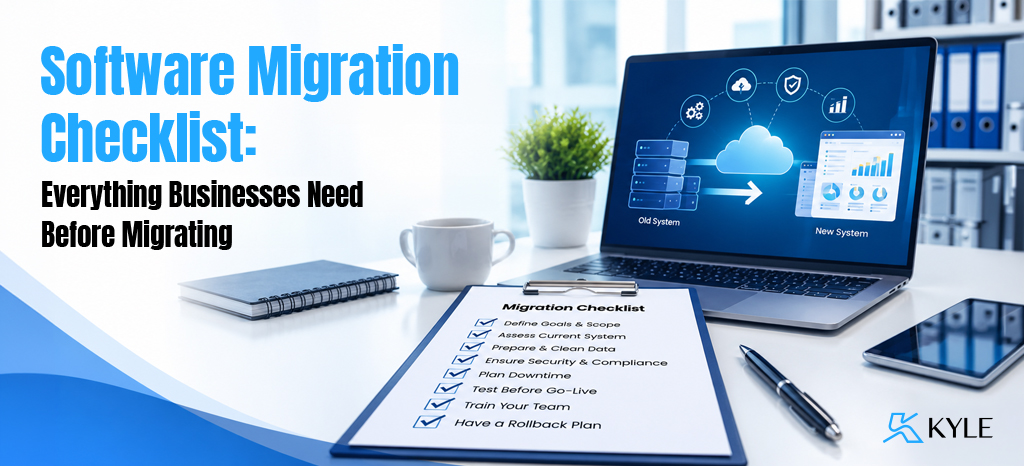
Is Your Business Ready for Software Migration? Here’s the Checklist You Shouldn’t Ignore
Your business software may have supported your operations for years by managing customer information, tracking inventory, generating reports, and streamlining daily workflows. However, as your business grows, the limitations of outdated software often become more noticeable. Reports take longer to generate, employees spend valuable time correcting manual errors, different departments work with disconnected systems, and adding new features becomes both difficult and expensive. If these challenges sound familiar, it may be a sign that your current software is no longer meeting your business needs.
This is where software migration becomes an important step toward improving efficiency, scalability, and long-term growth. However, migrating from one software system to another involves much more than simply transferring data. It requires careful planning, data preparation, thorough testing, employee training, and a well-defined implementation strategy to ensure a smooth transition. A structured Software Migration Checklist helps businesses minimize risks, reduce downtime, and stay on track throughout the migration process. In this guide, you’ll learn what software migration is, why businesses choose to migrate, the essential steps involved, common mistakes to avoid, and best practices for a successful software migration.
What Is Software Migration?
Software migration is the process of moving an organization’s applications, data, workflows, and business operations from one software environment to another. Businesses typically migrate to improve performance, strengthen security, support growth, or take advantage of modern technologies that better align with their operational goals.
Depending on business requirements, software migration may involve transferring information between systems, replacing outdated applications, moving to cloud-based platforms, or upgrading existing software to a newer version. The scope of a migration project varies based on the complexity of the business and the systems involved.
Some common types of software migration include:
- ERP Migration – Moving from an existing ERP solution or legacy software to a modern ERP platform.
- CRM Migration – Transferring customer records, sales history, and workflows to a new customer relationship management system.
- Cloud Migration – Moving applications and data from on-premise infrastructure to cloud-based environments.
- Database Migration – Shifting business data from one database platform to another.
- Application Migration – Replacing or upgrading business applications while maintaining continuity in operations.
- Legacy System Migration – Transitioning from outdated systems that are difficult or costly to maintain.
Although each migration project is unique, they all share one common objective: helping businesses operate more efficiently while preparing for future growth.
Why Businesses Choose Software Migration
Business technology continues to evolve, and software that worked well a few years ago may no longer support today’s operational demands. As organizations expand, many discover that their existing systems create more limitations than opportunities.
Some of the most common reasons businesses decide to migrate include:
Business Growth
As operations grow, businesses often require software capable of handling higher transaction volumes, multiple locations, larger teams, and increasingly complex workflows.
Better Productivity
Modern business software automates repetitive tasks, reduces manual work, and allows employees to focus on more valuable activities.
Improved Security
Older systems may no longer receive security updates or vendor support. Migrating to a newer platform helps organizations strengthen data protection and reduce security risks.
Lower Maintenance Costs
Maintaining outdated software often requires custom fixes, aging infrastructure, and higher support costs. A modern solution can reduce ongoing maintenance expenses.
Easier Integration
Businesses today rely on multiple applications for accounting, HR, CRM, eCommerce, inventory management, and reporting. Modern software generally offers stronger integration capabilities, helping departments share information more efficiently.
Enhanced Reporting and Decision-Making
Access to real-time dashboards and accurate reporting enables business leaders to make informed decisions based on current operational data rather than outdated reports.
Scalability for Future Needs
As customer expectations and business requirements change, organizations benefit from software that can grow with them instead of requiring frequent replacements.
In many cases, software migration is not just about replacing technology—it’s about creating a stronger foundation for long-term business success.
Why Every Business Needs a Software Migration Checklist
Imagine relocating your entire office without a proper plan. Important documents could be misplaced, equipment might not reach its destination, employees may not know where to work, and daily operations could come to a standstill. The same applies to software migration. Without a clear roadmap, businesses can face challenges such as data loss, system downtime, workflow disruptions, and unexpected delays. A well-structured Software Migration Checklist helps organizations stay organized, reduce risks, and ensure that every stage of the migration process is completed in the right order.
More than just a to-do list, a software migration checklist helps businesses define clear migration goals, identify outdated processes, clean and validate data, prepare employees, test the new system, and monitor performance after implementation. It also improves communication among stakeholders and minimizes operational disruptions throughout the transition. Instead of treating software migration as a one-time event, businesses should view it as a carefully planned process that leads to a smoother implementation and long-term success. In the following section, we’ll explore the ultimate Software Migration Checklist and the essential steps every business should complete before migrating to a new software solution.
The Ultimate Software Migration Checklist
Planning a software migration is about more than choosing a new system—it’s about ensuring your business continues to operate smoothly throughout the transition. A successful migration requires careful preparation, from defining clear business goals and evaluating your existing software to cleaning your data and creating a structured implementation plan. Think of this Software Migration Checklist as your roadmap to reducing risks, avoiding costly mistakes, and achieving a seamless transition. Let’s explore the essential steps every business should complete before migrating to a new software solution.
1. Define Your Software Migration Goals
Every successful project begins with a clear objective. Before comparing software vendors or planning data transfers, take time to understand why your business is migrating in the first place.
Without clearly defined goals, it’s easy to choose the wrong solution or lose focus during implementation.
Ask yourself questions like:
- What problems are we trying to solve?
- Which business processes need improvement?
- What limitations are we experiencing with our current software?
- What outcomes do we expect after migration?
- How will we measure success?
For example, one business may migrate because its existing ERP system no longer supports multiple warehouses, while another may need a cloud-based platform that allows employees to work remotely. Although both are software migration projects, their objectives are entirely different.
Documenting these goals early helps everyone—from management to implementation partners—stay aligned throughout the migration process.
Quick Tip: Create a list of short-term and long-term goals. Short-term goals might focus on improving efficiency, while long-term goals could include scalability, automation, and business growth.
2. Evaluate Your Existing Software
Before migrating, assess your current software to understand what’s working well and what needs improvement. This helps you avoid carrying outdated processes and unnecessary complexities into your new system.
Review key areas such as:
- Business workflows and essential features
- Integrations, customizations, and system performance
- Security, reporting, and user challenges
Ask yourself: Are our current workflows efficient? Does the software meet our business needs? Can it support future growth? Answering these questions will help you choose the right solution and build a more effective migration strategy.
3. Audit and Clean Your Business Data
The success of your software migration depends on the quality of the data you transfer. Before migrating, review your business data to remove outdated, duplicate, or inaccurate information that could affect system performance and reporting.
Review and clean:
- Customer, supplier, product, and inventory data
- Financial records, employee information, and historical transactions
- Duplicate, missing, or outdated records
Remember: Clean data ensures a smoother migration, better reporting, and improved business efficiency, while poor-quality data simply carries existing problems into the new system.
4. Choose the Right Software for Your Business
Choosing the right software is a critical step in a successful software migration. Instead of focusing only on price or popularity, select a solution that aligns with your business needs and supports future growth.
Consider factors such as:
- Scalability, ease of use, and customization
- Integration capabilities and security
- Vendor support and total cost of ownership
Tip: Think of software as a long-term investment that can improve efficiency, productivity, and business growth.
5. Create a Detailed Software Migration Plan
A well-defined software migration plan keeps your project organized, reduces risks, and ensures everyone involved understands their responsibilities throughout the migration process.
Your plan should include:
- Objectives, timeline, and team responsibilities
- Data migration, testing, and user training
- Go-live schedule and post-migration support
Tip: Always prepare a rollback plan so you can quickly restore the previous system if unexpected issues occur during implementation.
6. Back Up Your Business Data Before Migration
Creating a reliable backup is essential before starting any software migration. It protects your critical business information and allows you to recover quickly if unexpected issues occur during the migration process.
Back up important data such as:
- Customer, financial, and inventory records
- Employee data, documents, and reports
Tip: Test your backups and store multiple copies in secure locations to ensure they can be restored whenever needed.
7. Review Existing Integrations
Before migrating, review all the applications connected to your current software to ensure they continue working seamlessly after the transition. Identifying integration requirements early helps prevent workflow disruptions and data synchronization issues.
Review integrations such as:
- ERP, CRM, accounting, payroll, and HR systems
- Payment gateways, inventory, and third-party applications
Tip: Verify that your new software supports existing integrations or determine whether updates or replacements are needed before going live.
A Strong Foundation Leads to a Successful Migration
By completing these first seven steps, you’ve built a solid foundation for a successful software migration by defining clear goals, preparing your data, selecting the right software, and planning the migration effectively. However, successful migration doesn’t end with planning. The next stage focuses on execution—assigning responsibilities, training employees, testing the new system, validating migrated data, and optimizing performance after go-live to ensure a smooth and successful transition.
Questions like these often arise:
- Who will oversee the migration?
- Are employees prepared to use the new software?
- How do you know if the migrated data is accurate?
- What happens if something goes wrong on launch day?
- How can you ensure the new software delivers the expected results?
Let’s continue with the remaining steps of your Software Migration Checklist to help your business achieve a smooth and successful transition.
8. Assign Roles and Responsibilities
A successful software migration requires collaboration across multiple teams, not just the IT department. Clearly defining roles helps improve communication, avoid confusion, and keep the project on schedule.
Key stakeholders include:
- Project Manager, IT Team, Department Heads
- Implementation Partner and End Users
Tip: Use a Responsibility Matrix (RACI Chart) to clearly define who is responsible for each stage of the migration process.
9. Prepare and Train Your Employees
Employee training is essential for a successful software migration. Providing the right knowledge before and after implementation helps users adapt quickly, improves productivity, and encourages smooth adoption of the new system.
Training should include:
- Hands-on sessions and user guides
- Department-specific training
- Ongoing support after go-live
Tip: Communicate the purpose, benefits, and timeline of the migration to help employees embrace the change with confidence.
10. Test Everything Before Going Live
Thorough testing helps identify and resolve issues before your new software goes live, reducing the risk of disruptions and ensuring a smooth software migration.
Test the following:
- Functionality, data accuracy, and system integrations
- Performance under different workloads
- User Acceptance Testing (UAT) with real users
Tip: Employee feedback during testing helps identify practical issues and ensures the system is ready for everyday business operations.
11. Monitor the Migration Process
After deployment, continuously monitor your new system to identify and resolve issues quickly. Regular monitoring helps ensure a stable software migration and minimizes disruptions to business operations.
Monitor key areas such as:
- Data transfer, system performance, and integrations
- Error logs, user issues, and data accuracy
Tip: Closely monitor the system during the first few days after go-live to detect and fix issues before they affect daily operations.
12. Validate Your Data After Migration
Once the migration is complete, verify that all data has been transferred accurately before using the new system for daily operations. This helps identify and resolve any inconsistencies early.
Validate key data such as:
- Customer, supplier, and inventory records
- Financial reports and transaction history
- Employee records and business documents
Tip: Compare reports from both the old and new systems to ensure data accuracy and resolve any discrepancies before going live.
13. Optimize Your New Software After Go-Live
Software migration doesn’t end at go-live. Regularly reviewing and optimizing your new system helps improve efficiency, user experience, and overall business performance.
Focus on improving:
- Workflows, automation, and system performance
- Reports, dashboards, and integrations
Tip: Collect employee feedback regularly to identify improvement opportunities and ensure your software continues to meet evolving business needs.
Common Software Migration Mistakes Businesses Should Avoid
Even well-planned migration projects can face challenges. Fortunately, many common issues are preventable with the right preparation.
Starting Without Clear Objectives
Without defined goals, businesses often struggle to measure the success of the migration.
Migrating Poor-Quality Data
Duplicate, outdated, or inaccurate information can reduce the effectiveness of your new software from day one.
Skipping Employee Training
Employees who aren’t properly trained may resist change or make avoidable mistakes.
Ignoring Software Testing
Testing identifies issues before they affect customers and daily operations.
Choosing Software Based Only on Price
The cheapest solution isn’t always the best fit. Focus on long-term business value instead of short-term cost savings.
Underestimating the Migration Timeline
Rushing implementation often leads to overlooked tasks, unnecessary downtime, and increased project risks.
Forgetting About Post-Migration Support
Businesses should continue monitoring, optimizing, and supporting users after launch to maximize the benefits of the new system.
Best Practices for a Successful Software Migration
Every migration project is different, but these best practices can significantly improve the chances of success:
- Define clear business objectives before starting.
- Involve stakeholders from every department.
- Clean and validate data before migration.
- Create multiple backups and verify they can be restored.
- Develop a realistic migration timeline.
- Test every critical workflow thoroughly.
- Train employees before the system goes live.
- Monitor system performance during and after migration.
- Gather user feedback and act on it.
- Partner with experienced software migration professionals when handling complex projects.
Following these best practices can help businesses minimize risks, reduce downtime, and maximize the return on their software investment.
Is Your Business Ready for Software Migration?
If your current software is slowing operations, limiting growth, or requiring frequent manual workarounds, it may be time to consider migration.
Some common signs include:
- Your software no longer receives updates or support.
- Employees rely heavily on spreadsheets to complete tasks.
- Reports take too long to generate.
- Business processes remain largely manual.
- Your software doesn’t integrate with newer applications.
- Performance issues are becoming more frequent.
- Security concerns are increasing.
- Your business has outgrown the system’s capabilities.
Recognizing these signs early allows your business to plan a migration strategically instead of waiting until operational challenges become critical.
The Benefits of Following a Software Migration Checklist
Following a Software Migration Checklist does more than keep your project organized—it helps reduce risks, minimize downtime, and ensure a smoother transition to your new system. Whether you’re implementing a modern ERP, migrating to the cloud, or replacing legacy software, a structured checklist helps businesses plan effectively, address challenges proactively, and achieve a successful software migration with greater confidence.
Let’s look at some of the key benefits.
Reduced Risk of Data Loss
Business data is one of your organization’s most valuable assets. Customer records, financial information, inventory details, and operational data all need to be transferred accurately.
A structured migration checklist encourages businesses to clean, back up, validate, and verify their data before and after migration, helping reduce the risk of missing or inaccurate information.
Minimal Business Downtime
Unexpected downtime can interrupt operations, delay customer service, and impact revenue.
A well-planned migration strategy includes timelines, testing, contingency plans, and phased implementation where appropriate, allowing businesses to keep disruptions to a minimum.
Improved Data Accuracy
Migrating outdated or duplicate information can affect reporting and decision-making.
By auditing and cleaning data before migration, businesses start with a more organized, reliable, and accurate database that supports better business operations.
Better Employee Adoption
Even the most advanced software won’t deliver results if employees struggle to use it.
Preparing users through communication, training, and hands-on practice helps teams become more confident with the new system and encourages faster adoption across the organization.
Enhanced Security and Compliance
Modern business software often includes improved security features, stronger access controls, and regular updates.
A planned migration also provides an opportunity to review user permissions, strengthen security policies, and ensure compliance with industry standards and internal governance requirements.
Greater Operational Efficiency
One of the biggest advantages of software migration is the opportunity to improve business processes.
Modern software can help automate repetitive tasks, reduce manual data entry, streamline workflows, and improve collaboration between departments.
The result is a more efficient organization that can focus on growth instead of administrative challenges.
Scalability for Future Growth
Businesses evolve over time.
Whether you’re opening new branches, expanding into new markets, hiring more employees, or increasing transaction volumes, your software should be able to grow alongside your business.
Migrating to a scalable solution helps prepare your organization for future opportunities without requiring another major system replacement in the near future.
Better Business Insights
Accurate reporting is essential for informed decision-making.
Modern business software often provides real-time dashboards, analytics, and reporting capabilities that allow leaders to monitor performance, identify trends, and respond quickly to changing business needs.
Frequently Asked Questions (FAQs)
1.What are the different types of software migration?
Common types include ERP migration, CRM migration, cloud migration, database migration, application migration, and legacy system migration.
2. How long does software migration take?
Software migration can take anywhere from a few weeks to several months, depending on the project’s size and complexity.
3. Why is a software migration checklist important?
It helps reduce risks, minimize downtime, protect data, and ensure a smooth and organized migration process.
4. How can businesses reduce migration risks?
Businesses can reduce risks through proper planning, data backups, thorough testing, employee training, and continuous monitoring.
5. What should businesses do after software migration?
After migration, businesses should validate data, monitor performance, optimize workflows, and provide ongoing user support.
Conclusion
Software migration is much more than moving data from one system to another—it’s an opportunity to improve the way your business operates.
Whether you’re replacing outdated software, implementing a modern ERP solution, moving to the cloud, or upgrading business applications, careful planning is the key to a successful migration. A well-structured Software Migration Checklist helps businesses stay organized, reduce risks, protect valuable data, and ensure a smoother transition with minimal disruption to daily operations.
Remember, every business has unique processes, goals, and technical requirements. Taking the time to evaluate your existing systems, prepare clean data, involve stakeholders, train employees, and test thoroughly can significantly improve the outcome of your migration project. Rather than treating migration as a one-time technical task, view it as a strategic investment that supports long-term efficiency, scalability, and business growth.
If you’re planning a software migration, partnering with experienced professionals can simplify the process and help you avoid common pitfalls. KyleSolutions, one of the leading business solution providers in Calicut and across Kerala, helps businesses implement modern software solutions, streamline workflows, and support successful digital transformation initiatives. With the right strategy, tools, and expertise, your business can confidently transition to a solution that is better equipped to meet today’s needs and tomorrow’s opportunities.